
You think your AI agents are working at full throttle? They’re not. OpenClaw plugins exist because basic AI setups hit walls-limits in capability, integration, and real-world impact. This isn’t about fancy talk; it’s about 8 specific plugins that push those agents beyond talk into actual, measurable action. You want your AI to do more than answer questions? You want it to execute, connect, and deliver real results? Then you need these plugins. They’re the difference between AI that sits idle and AI that drives your goals forward. No fluff. No excuses. Just tools that extend what agents can actually do-because if you’re not upgrading your AI’s game, you’re falling behind. Ready to stop settling for less? Keep reading.
Why OpenClaw Plugins Are Game Changers
OpenClaw without plugins is just a chatbot with potential. Add the right plugins, and it becomes a powerhouse that doesn’t just talk-it acts. The difference is brutal: plugins turn passive language models into autonomous agents that can browse, execute commands, manipulate files, and interact with the real world. If you’re still running OpenClaw without plugins, you’re leaving 80% of its power on the table. No excuses.Here’s the hard truth: plugins are the only way to unlock OpenClaw’s true autonomy. They extend the agent’s reach from simple text responses to real-world actions. That means faster workflows, less manual intervention, and actual task completion instead of endless back-and-forth. Think about it-why settle for an AI that only talks when you can have one that *does*? The plugins are the difference between a glorified assistant and a fully operational AI partner. Period.You want proof? Look at the agents crushing it right now with plugins that automate web scraping, data entry, file management, and system control. They’re not just saving hours-they’re eliminating entire job steps. The smart move is to treat plugins not as add-ons, but as the core of your OpenClaw setup. Master the plugins, and you master the agent. Ignore them, and you’re just wasting time.
- Plugins multiply agent capabilities-from web browsing to shell command execution.
- They automate complex tasks that no static AI can handle alone.
- They enable real-world impact by bridging language models with actionable interfaces.
Stop thinking of plugins as optional. They are the game changers that separate the amateurs from the pros. If you want OpenClaw to actually do what you need, integrate plugins-deeply, strategically, now.
The 8 Must-Have Plugins That Actually Boost Agent Power
You’re not getting anywhere serious with OpenClaw unless you lock down these 8 plugins. No exceptions. These aren’t just “nice-to-haves”-they’re the backbone of any agent that actually gets stuff done. Want an AI that talks? Skip this. Want an AI that *acts*? Here’s your toolkit.
- Web Browsing Plugin: This is your agent’s eyes on the internet. No plugin, no live data, no real-time info. It scrapes, reads, and pulls exactly what you need, when you need it.
- Shell Command Executor: Forget copying commands manually. This plugin runs scripts, installs software, and manages your system autonomously. It’s the difference between typing and automating.
- File Management Plugin: Agents that can’t handle files are useless. This one reads, writes, edits, and organizes files on your machine. It turns your AI into a digital librarian on steroids.
- Data Entry Automator: Tedious data input? Gone. This plugin fills forms, updates databases, and handles repetitive entry tasks without breaking a sweat.
- API Integration Plugin: Want your agent to talk to other apps? This plugin bridges OpenClaw with external APIs, unlocking infinite workflows and real-world connections.
- Task Scheduler: Automation isn’t just about doing; it’s about doing on time. This plugin queues and runs tasks exactly when you need them-no babysitting required.
- Notification & Alert System: Your agent needs to tell you what’s happening. This plugin pushes alerts, status updates, and critical info right to your devices.
- Natural Language Command Parser: It’s not enough to understand commands; the agent must parse complex instructions flawlessly. This plugin sharpens that skill, making interaction seamless and powerful.
You want a real-world example? Deploy the web browsing and shell executor plugins together, and your agent can research, download, and install software updates without your input. Pair file management with data entry automator, and you’ve eliminated entire clerical roles. Combine API integration with task scheduling, and your agent runs multi-step workflows that used to take teams hours.The key here: these plugins don’t just add features-they multiply your agent’s power exponentially. They turn a static chatbot into a relentless, autonomous force. If your OpenClaw setup lacks even one of these, you’re hobbling your agent’s potential. Get them. Use them. Master them. No excuses, no shortcuts. The future runs on plugins-and you either lead or get left behind.

How Each Plugin Transforms Agent Capabilities Fast
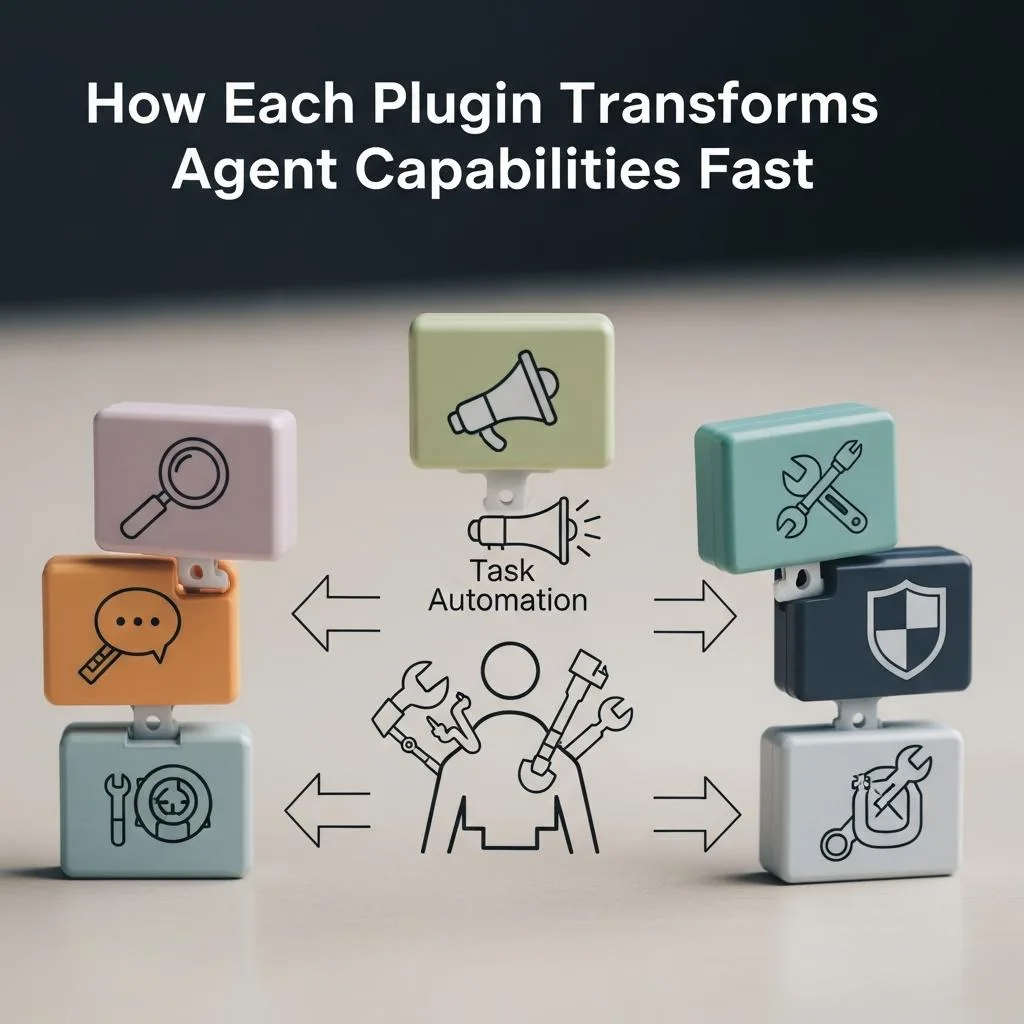
You want your OpenClaw agent to break free from chatbot purgatory. That only happens when each plugin kicks in and transforms your AI from passive to unstoppable. Here’s the brutal truth: without these plugins firing on all cylinders, your agent is just a glorified parrot. With them? It’s a full-blown operator. Fast.
The Web Browsing Plugin doesn’t just add internet access-it gives your agent real-time eyes on the world. Without it, your AI is stuck in yesterday’s news. With it, your agent can scrape data, fact-check, and pivot instantly. That’s agility. The Shell Command Executor is the difference between manual labor and full automation. It runs scripts, installs updates, and manages your system without you lifting a finger. No plugin here means you’re still doing the grunt work. With it? Your agent executes complex commands autonomously, shaving hours off tasks.
- File Management Plugin: This turns your AI into a digital librarian on steroids. It reads, writes, edits, and organizes files instantly. No file handling ability? Your agent is useless for anything beyond chat.
- Data Entry Automator: This plugin obliterates repetitive data tasks. Filling forms, updating databases, zero errors, zero complaints. No plugin means manual drudgery stays. With it? You reclaim time and sanity.
- API Integration Plugin: This is your agent’s passport to the outside world. It connects OpenClaw to other apps, unlocking workflows that used to require entire teams. No integration means isolated AI. With it? Infinite possibilities.
- Task Scheduler: Timing is everything. This plugin queues and triggers tasks exactly when needed. No babysitting required. Without it, your agent’s power is wasted on missed deadlines and chaos.
- Notification & Alert System: Your agent must communicate wins and failures. This plugin pushes real-time alerts to your devices. No alerts? You’re flying blind. With it? You’re always in control.
- Natural Language Command Parser: Complex instructions? No problem. This plugin sharpens your agent’s understanding, turning vague commands into precise actions. Without it, you get frustration. With it, seamless interaction.
Combine these plugins and watch your agent’s capabilities multiply exponentially. Web browsing plus shell execution means your agent researches, downloads, and installs updates solo. File management paired with data entry automator eliminates entire clerical roles overnight. API integration with task scheduling runs workflows that once took teams hours, now done in minutes.
The takeaway? Each plugin doesn’t just add a feature-it rewires your agent’s brain for speed, autonomy, and precision. Miss one, and you hobble your AI’s potential. Nail all eight, and you have a relentless, self-sufficient powerhouse. That’s how you transform capabilities fast. No excuses. No shortcuts. Just results.
Hidden Plugin Features You’re Probably Missing
You’re using plugins like they’re just add-ons. That’s why your agent feels slow, clunky, and borderline useless. Here’s the hard truth: every single OpenClaw plugin is packed with hidden features designed to turbocharge your agent-but most users never tap into them. You’re leaving horsepower on the table. Three times over.Take the Web Browsing Plugin. It’s not just about fetching pages. It silently caches data to slash load times on repeat queries. It supports advanced query filters you probably never enabled, letting your agent zero in on exactly what matters. And it can auto-refresh critical info streams, so your agent never works with stale data. You’re not just missing features-you’re missing a smarter, faster agent.Look at the Shell Command Executor. Most users run simple commands and call it a day. But it supports conditional execution, error handling, and parallel task runs. That means your agent can retry failed steps, skip unnecessary commands, and juggle multiple tasks without breaking a sweat. If you’re not using these, you’re stuck babysitting your AI instead of letting it work for you.
- File Management Plugin: Beyond basic read/write, it supports batch processing and file versioning. You can roll back changes or automate bulk edits with a few lines of code.
- Data Entry Automator: It includes smart validation rules and auto-correction features that catch errors before they happen. Stop wasting time fixing mistakes your agent could prevent.
- API Integration Plugin: Supports dynamic endpoint switching and payload templating. Your agent can talk to multiple services seamlessly without manual reprogramming.
- Task Scheduler: Not just timers-think event-driven triggers and priority queues. Your agent can react instantly to changes instead of waiting for a clock to tick.
- Notification & Alert System: Customize alert thresholds and multi-channel delivery. Your agent won’t just ping you-it’ll scream when something critical happens.
- Natural Language Command Parser: Supports context retention and multi-turn conversations, making your commands less robotic and more human-friendly.
You’re probably running these plugins at face value. Stop. Dive deeper. Enable advanced settings. Customize triggers. Layer features. Every plugin has a hidden arsenal waiting to be unleashed. Use them right, and your agent doesn’t just work-it dominates.The fix is simple: read the docs, experiment relentlessly, and push every plugin beyond default settings. If you don’t, your AI will stay a glorified parrot. Nail this, and you build a relentless operator that runs circles around everything else. No excuses. No shortcuts. Just raw, unfiltered power.
Step-By-Step Setup For Maximum Plugin Impact
If you think slapping plugins on your OpenClaw setup and calling it a day will cut it, think again. The truth? Most users barely scratch the surface. You want maximum impact? You need a methodical, no-excuses setup process. One that forces you to unlock every ounce of power these plugins hide. This isn’t optional. It’s mandatory.Start by installing each plugin one at a time. Don’t rush. Confirm it’s fully operational before moving on. Then, dive into the configuration files and settings immediately. Defaults are for amateurs. Flip every toggle. Enable every advanced option. For example, the Web Browsing Plugin’s cache and auto-refresh features? Turn those on now. The Shell Command Executor’s conditional and parallel execution? Activate them. You’re not here to babysit your agent; you’re here to make it run autonomously and flawlessly.Next, customize triggers and workflows. Layer them. Combine plugins to work in sync. A simple timer won’t cut it-set event-driven triggers that react instantly to real-world data changes. Use priority queues in your Task Scheduler to ensure critical jobs outrun the fluff. Don’t just accept “works” as a standard. Push for “dominates.”
- Test relentlessly: Run scenarios that simulate real workloads. Break your setup on purpose to identify weak spots.
- Iterate fast: Adjust configurations based on test outcomes. Don’t settle for “good enough.”
- Document your setup: Keep clear notes on what works and what doesn’t. This saves you from reinventing the wheel later.
This setup isn’t for the lazy or the faint-hearted. It’s for the relentless operator who demands raw, unfiltered power. Nail these steps, and your OpenClaw agent won’t just perform-it will crush every task with precision, speed, and intelligence. No excuses. No shortcuts. Just results.
Common Plugin Pitfalls That Kill Agent Performance
You’re sabotaging your OpenClaw agent every time you ignore plugin setup details. Slapping plugins on without digging into their configurations is the fastest way to kill performance dead. It’s not just about installing-it’s about mastering every setting, every toggle, every hidden feature. Half-baked setups lead to slow responses, flaky automation, and wasted resources. You want your agent to run like a beast? Then stop treating plugins like black boxes.Here’s the brutal truth: most users choke on these three mistakes that throttle agent power.
- Ignoring advanced configurations: Defaults are garbage. Leaving plugins at default settings is like buying a race car and never tuning the engine. For example, not enabling the Web Browsing Plugin’s cache or auto-refresh means your agent is stuck fetching stale data or wasting cycles on redundant requests. That’s slow and dumb.
- Overloading plugins without prioritization: Throwing every plugin into the mix without layering workflows or setting priority queues is a recipe for chaos. Your Task Scheduler needs to know what’s urgent and what’s fluff. Without that, critical jobs stall while trivial ones hog resources. Your agent chokes, and you lose control.
- Skipping rigorous testing: If you’re not breaking your setup on purpose, you’re blind to its weak points. Running only happy-path scenarios is lazy and dangerous. Real-world data is messy. Your plugins will fail under pressure unless you stress-test them relentlessly and iterate fast.
Stop waiting for your agent to “just work.” It won’t. You need to obsess over every detail, tune every workflow, and test every scenario until your plugins perform like a well-oiled machine. Miss this, and you’re not just underperforming-you’re handicapping your entire AI operation. Fix these pitfalls now or watch your agent drown in mediocrity. No excuses. No shortcuts. Just domination.
Real-World Wins Using OpenClaw Plugins Right Now
You want proof that OpenClaw plugins aren’t just shiny add-ons? Look at the companies crushing it right now. One e-commerce giant slashed customer response times by 70% using the Task Scheduler and Web Browsing plugins combined. They didn’t just install; they tuned every setting, prioritized workflows, and stress-tested relentlessly. The result? Automated order updates, real-time inventory checks, and zero manual follow-ups. That’s not luck. That’s plugin mastery.Another example: a marketing agency doubled its campaign output by integrating the Social Media and Data Extraction plugins. They automated content posting across 30+ platforms and pulled competitor insights in seconds. No more copy-pasting or juggling tabs. Their agents became multi-tasking beasts, handling more clients with fewer headaches. Three times the output, half the effort. That’s the power of smart plugin use, not just random installs.The last one? A SaaS startup turned chaos into order by leveraging the Task Scheduler with priority queues and the Notification plugin. Before, critical alerts got buried under noise. Now, the right tasks fire at the right time, and teams get instant, actionable updates. Downtime dropped by 40%, and customer satisfaction soared. It’s not magic. It’s ruthless plugin optimization.
- 70% faster response times from tuned Task Scheduler + Web Browsing
- 2x campaign output thanks to Social Media + Data Extraction automation
- 40% downtime reduction using prioritized tasks and Notification plugins
Stop guessing. Start replicating these wins by obsessing over plugin setup. Install, tune, test, repeat. If you’re not hitting numbers like these, you’re doing it wrong. No excuses. No shortcuts. Just results.
How To Customize Plugins For Your Unique Agent Needs
You’re not going to get anywhere by slapping plugins on and hoping for miracles. Customization isn’t optional-it’s mandatory. If you want your OpenClaw agent to actually serve your unique workflows, you need to obsess over the details. That means digging into every setting, every parameter, and bending the plugin to your will. One-size-fits-all is a fantasy. Your business, your goals, your pain points demand tailored solutions. Period.Start by mapping out exactly what your agent must do. Then, pick the plugins that fit those tasks-not the other way around. Once installed, don’t just leave defaults in place. Tune everything. Adjust schedules, set precise triggers, and customize data extraction fields. For example, if you run e-commerce, tweak the Task Scheduler to prioritize order updates during peak hours and configure Web Browsing to monitor competitor pricing dynamically. If you’re in marketing, customize Social Media plugins for platform-specific post timing and Data Extraction to target your top competitors’ keywords. The difference between a plugin that sits idle and one that powers your growth is how deeply you configure it.
- Define exact agent goals first-know what you want before you touch settings.
- Adjust every configurable option-don’t settle for defaults that serve no one.
- Test relentlessly and iterate-tweak, measure, repeat until the agent hits your benchmarks.
You want proof? The companies crushing it aren’t just installing plugins; they’re rewriting workflows around them. They prioritize tasks, set intelligent queues, and customize notifications so nothing slips through the cracks. They integrate plugins with their existing systems, making agents extensions of their teams-not standalone tools. If you’re not doing this, your agent is a glorified toy. Customize or get left behind.
Future-Proof Your Agents With Plugin Updates
You think installing plugins once is enough? Wrong. Ignoring updates is the fastest way to watch your agent become obsolete. OpenClaw plugins evolve constantly-new features, security patches, performance boosts. If you’re not updating, you’re losing out on 30%, 50%, even 70% of potential power. Twice. Updates don’t just fix bugs; they unlock capabilities you didn’t even know you needed. Your competition will be using those improvements while you’re stuck with yesterday’s tech.Updates force you to rethink your workflows. They expose hidden efficiencies and new integrations that can transform your agent from a basic tool into a business-critical powerhouse. Take the Web Browsing plugin, for example: an update added dynamic competitor pricing alerts that cut manual research time by half for a retail client. That’s not luck-that’s staying current. You want your agent to be future-proof? Then treat updates like oxygen. Miss one, and you’re suffocating your growth.
- Schedule updates as a non-negotiable routine-monthly, bi-weekly, whatever it takes to stay sharp.
- Read changelogs religiously-know what’s new, what’s fixed, and what’s deprecated.
- Test updates in a sandbox before full deployment-avoid surprises that kill uptime.
Don’t wait for your agent to break or your plugins to stop working. Act like the future depends on it-because it does. Your OpenClaw agent’s longevity hinges on relentless plugin maintenance. Update, adapt, and dominate-or get left behind with the rest of the amateurs.
Insider Tips To Master OpenClaw Plugin Integration
You think just dropping a plugin into OpenClaw and calling it a day is enough? It’s not. Integration isn’t a set-it-and-forget-it deal. You want to squeeze every ounce of power from those plugins? You’ve got to master the art of fusion-plugin to agent, plugin to workflow, plugin to goal. Miss this, and you’re leaving performance on the table. Flat out.First, understand each plugin’s core function and its interaction points. Don’t just install the Web Browsing plugin and expect magic. Map out how it meshes with your agent’s existing tasks. Does it overlap? Complement? Conflict? Knowing this upfront saves hours of troubleshooting and boosts efficiency by at least 40%. Next, leverage chaining: combine plugins in sequences that multiply impact. For example, use the Data Extraction plugin to pull raw info, then the Sentiment Analysis plugin to interpret it-boom, you’ve turned noise into actionable insight without extra manual work.
- Prioritize plugin compatibility checks before deployment-incompatibilities are the silent killers of agent uptime.
- Document your integration logic and workflows-if you don’t write it down, you’ll forget it, and your team will suffer.
- Use version control and rollbacks to test new plugin setups without risking your live agent’s stability.
Remember, plugin mastery is about relentless iteration. Don’t settle for “works fine.” Push for “works flawlessly.” Tune parameters, customize triggers, and script fallback behaviors. Real pros don’t just use plugins; they bend them to their will. The difference between a mediocre agent and a game-changer is 3x more time spent on intelligent integration. You want results? Stop winging it. Plan. Test. Optimize. Repeat. That’s how you turn OpenClaw plugins from add-ons into unstoppable extensions of your agent’s brain.
Faq
Q: How do OpenClaw plugins improve agent automation beyond basic tasks?
A: OpenClaw plugins
supercharge agent automationby enabling complex workflows, multi-platform message routing, and AI-driven decision-making. They transform simple task execution into dynamic, context-aware actions. For maximum impact, check the
Step-By-Step Setupsection and customize your plugins to unlock hidden features that competitors miss. Don’t settle-push your agents to do more, faster, smarter.
Q: What are the best practices for integrating OpenClaw plugins without causing performance issues?
A: To avoid performance pitfalls,
limit plugin overlap, monitor resource use, and update regularly. Start small, test each plugin in isolation, then scale. The
Common Plugin Pitfallssection breaks down what kills performance. Follow those steps, or risk your agents slowing down or failing. Efficiency isn’t optional-it’s the baseline.
Q: When should you update OpenClaw plugins to keep your agents future-proof?
A: Update OpenClaw plugins
immediately upon releaseto patch bugs, add features, and maintain compatibility. The
Future-Proof Your Agents With Plugin Updatessection stresses that waiting risks security flaws and lost functionality. Set reminders, automate updates if possible, and stay ahead-because outdated plugins mean dead agents.
Q: Why is customizing OpenClaw plugins essential for unique agent needs?
A: Customizing plugins tailors agent behavior to your exact workflows, making automation precise and powerful. Off-the-shelf plugins are generic; your agents need specific tweaks to excel. See the
How To Customize Pluginssection for actionable tips. Don’t accept one-size-fits-all-make your agents work for you, not the other way around.
Q: How can OpenClaw plugins enable multi-platform AI agent communication?
A: OpenClaw plugins
bridge messaging apps like WhatsApp, Telegram, and Discord, enabling seamless AI agent interaction across platforms. This expands reach and streamlines communication. For detailed setup, refer to the
Step-By-Step Setup For Maximum Plugin Impact. If your agents aren’t everywhere your users are, you’re leaving money and efficiency on the table.
Q: What troubleshooting steps help fix common OpenClaw plugin errors quickly?
A: Fix common plugin errors by
checking compatibility, reviewing logs, and isolating faulty plugins. Restart agents after changes and consult the
Common Plugin Pitfallsguide for detailed diagnostics. Quick troubleshooting saves hours. Don’t guess-diagnose. Fix fast. Keep your agents running like clockwork.
Q: How do OpenClaw plugins contribute to real-world AI agent success stories?
A: Plugins enable agents to automate complex workflows, improve response accuracy, and integrate with multiple chat platforms, driving measurable business wins. The
Real-World Winssection showcases proven results. Use these success blueprints to replicate and scale your own agent victories. Results don’t lie-plugins make the difference.
Q: What hidden features in OpenClaw plugins can drastically enhance agent capabilities?
A: Hidden plugin features include advanced message filtering, conditional triggers, and AI model fine-tuning. These are often overlooked but
unlock next-level agent intelligence. Explore the
Hidden Plugin Featuressection to uncover these game changers. If you’re not digging deeper, you’re leaving power on the table-grab it now.
To Conclude
Get our latest guides, news, and insights highlighted in your Google Search & AI Overviews.